Comparison operators in Python are among the first and at the same time the key tools any beginner should master. They allow you to determine whether two values are the same or compare them to find out which one is bigger or smaller. Isn’t it fascinating that these seemingly simple symbols can radically influence a program’s logic? Let’s explore how to build clear, powerful code using these comparisons.
Comparison Operators in Python: What Are They and Why Are They So Important?
Comparison lies at the heart of decision-making in programming. Every time the code checks a condition and decides what to do next, it relies on comparison operators. Essentially, they allow you to compare two variables or expressions and return True or False. This binary nature is extremely useful, forming the basis of most control structures like if, elif, or loops such as while.
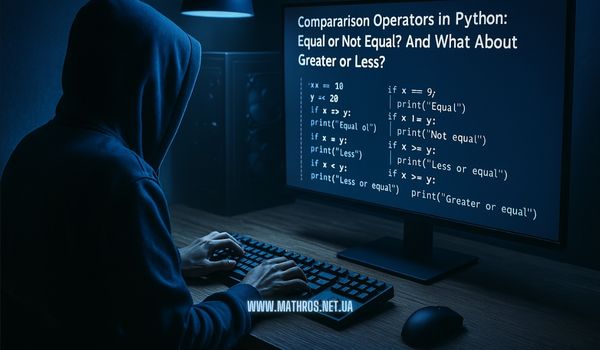
Why does this matter so much? Imagine a geometry task where you need to find out whether a polygon’s perimeter is greater than a certain number, or whether two sides of a figure are equal. Without comparison operators, arriving at the right conclusion or deciding the next block of code to execute would be challenging. Moreover, these checks let you build branching algorithms that handle numerous situations, including error handling or data validation.
Keep in mind a couple of fundamental things about comparison operators:
- If a condition is true, the comparison operator returns True.
- If a condition is false, you get False.
At first glance, this might seem elementary. Yet logical errors in comparisons can complicate debugging or lead to incorrect calculations. That’s why being able to identify and use comparison operators correctly is essential for writing clear and reliable code—code that is also easy to expand and maintain. Make sure you understand how these operators work before moving on to more advanced concepts.
Equal or Not? Getting to Know the Operators == and !=
Among all comparison operators in Python, == and != are the most basic, as they check whether two values are the same or different. In mathematics, you’ve come across similar comparisons many times, such as finding out whether two numbers are equal or whether an expression equals zero. In Python, these operators play a similarly fundamental role, adding a “yes” or “no” answer for the values you compare.
For example, if you have two variables describing the lengths of a shape’s sides, you can easily check if they match:
side_a = 12
side_b = 12

if side_a == side_b:
    print("The sides of the figure are equal.")
Since 12 == 12 is true, you’ll get a confirmation of equality. Now, let’s look at !=, which indicates that values are different:
angle_x = 90
angle_y = 60

if angle_x != angle_y:
    print("The angles are different.")
Here, 90 != 60 clearly returns True. However, be careful not to confuse these comparison operators with the assignment operator =. If you mistakenly use = instead of ==, you’ll end up assigning a value instead of checking it, which completely changes the program’s logic.
Always double-check which operator you are typing in conditions. Also, make sure that the variables being compared are compatible in type (e.g., numbers with numbers). This approach helps you write error-free code and guarantees accurate comparison results.
Greater, Less, or Exactly Equal: The Secrets of >, <, >=, <=
When you want to find out whether one number is larger or smaller than another, you turn to >, <, >=, and <=. These operators let you compare two values in terms of “greater” or “less”, as well as check boundary conditions like “not less than” or “not greater than”. In mathematics, this is often useful—for instance, when calculating the area of a shape and comparing it to a maximum area limit.
The syntax is straightforward:
- > checks if the first value is greater than the second.
- < returns True when the first value is less than the second.
- >= and <= additionally test for equality
Here’s a quick example:
area_circle = 78.5
threshold = 50

if area_circle > threshold:
    print("The circle's area exceeds the specified threshold!")
In this snippet, Python checks whether 78.5 > 50, and if it’s True, it prints the message. When you also want to allow equality, you use >=:
if area_circle >= threshold:
    print("The circle's area is greater than or equal to the given value.")
Be mindful of the following when using these operators:
- Ensure your comparison signs actually match your intended logic.
- Test examples with different input numbers to confirm that everything works as expected.
A single misplaced comparison sign can change the outcome entirely, leading to unpredictable code behavior. That’s why it’s crucial to carefully think through each comparison, especially when it’s part of a complex condition.
When One Comparison Is Not Enough: Combining Operators
Sometimes, you need to check multiple conditions at once. This is where comparison operators in Python truly shine when paired with logical operators and, or, and not. These allow you to combine simple comparisons into more complex statements, giving you broader control over the program’s flow.
Consider a geometry problem: does a side length fall within a certain range, say between 5 and 10?
side_length = 9
if side_length >= 5 and side_length <= 10:
    print("Side length is within the given range!")
Using and demands that both conditions be True. Python also offers a shorter form:
if 5 <= side_length <= 10:
    print("Side length is within the given range!")
This notation makes the code more readable and simplifies comparisons. If you want at least one condition to be true, use or. For example, checking if a circle’s radius is either greater than 10 or exactly 5:
radius = 5
if radius > 10 or radius == 5:
    print("The radius meets at least one criterion!")
The or operator returns True if at least one condition is met. To “invert” a result, use not:
if not (radius < 10):
    print("The radius is not less than 10.")
By combining comparison operators with logical operators, you can define highly flexible conditions. The main rule: keep your code clean and readable—split complex statements with parentheses and avoid unnecessary complexity. This prevents unforeseen errors and keeps your program easy to understand.
Comparison Operators in Python: Conclusions and Next Steps in Programming
We’ve covered how comparison operators in Python help determine whether two values are equal, different, greater, or less than one another. We also learned how to combine multiple comparisons with logical operators to tackle more complex problems. Armed with these skills, you’ll be able to write code that is more informative, flexible, and well-structured.
Ready to take your skills further? Here are a few topics you might explore as you continue learning Python:
With each new step, you’ll discover more possibilities in Python and learn how to solve a wide variety of tasks. Here’s wishing you an inspired and exciting journey in programming!